How to Build a Website with AI Using a Single Prompt

I’ve been seeing a ton of ads lately about building a website with AI. And, since I’ve been building websites for the better part of ten years now, I figured I’d give it a try and write down the whole process for you, so you can learn how to build a website with AI using a single prompt. Now, I’m sure you’ve seen the ads too. Or maybe you haven’t, but you’ve heard about it. You’re curious about how to build a website with AI, which platform to use, how to structure your prompt, and maybe you’re secretly wondering whether all the hype is even real. So let me get something off my chest right away. Is building a website with AI really as easy as “one prompt and a click?” Kind of… Because it depends on the prompt and it depends on what kind of website you want to build. Now… As the world gets more and more excited about AI, and new platforms and apps keep popping up out of nowhere, almost like mushrooms, it’s honestly hard to keep up. And yes, AI is making a lot of things a lot easier. But here’s the truth: AI platforms are not always as simple or straightforward as the advertisements make it seem. So in this article, I’ll walk you through how to build a website with AI, based on where AI’s capabilities stand right now, when it makes sense to build a website with AI, the best platforms to use for a one-prompt AI website, and at what point you’ll need a little more experience, or someone who can handle the technical stuff for you. So, can you build a website with AI using a single prompt? Yep, you can. I say that with confidence because I’ve done it, and I’ll show you the exact website I built with AI using just one prompt later in this article. But is it really as simple as the ads make it look? Well, let me just say this: I use AI every single day. So does my company. So this isn’t me being skeptical of AI, I promise. But it wasn’t exactly as simple as I saw in the ad. Let me give you a non-website-related example. The other day, I saw an ad for ElevlanLabs Creative claiming you could create a video from a single prompt. I thought it was cool, so naturally, I tried it. And honestly? It worked! It was freaking awesome. I produced a full 50-second, comic-style video for one of my customers from a single prompt. Check it out:

But then I tried using that same platform for a different type of video.

A video with a little more customization, a bit more tailored to what I want, and things escalated pretty fast.

What started as “no code, no experience needed” quickly turned into “okay, now you need some experience.”

And eventually, the more I wanted to create, the more it turned into a “yeah, this requires real skill.”

So let’s talk about that for a second.

Yes, AI has made things way, way easier for most of us.

Yes, an AI website builder has empowered people to code, design, and even build entire websites without any technical background.

That part is real, and it’s genuinely super impressive.

But it has limits.

Now, that’s not to say it takes the same level of skill it used to.

And it’s not to say that with a little basic knowledge, it doesn’t speed things up massively, because it absolutely does.

I’m just making my case that it’s not always as easy as “with a single prompt,” or ‘just one click.'”

And, I’m not the only person saying this.

I came across a Reddit thread where people were discussing this exact question:

Can you actually build a website using AI, from a single prompt, with no experience? You can see the entire thread here if you want: https://www.reddit.com/r/ChatGPTCoding/comments/1icqkv7/anyone_here_built_a_website_using_ai/]

But in short, the responses were all over the map, which honestly tells you everything you need to know.

Some people were thrilled; one user said AI helped them build a fairly complex 3D configurator in about an hour for a couple bucks, something that would’ve taken them weeks by hand.

Others pointed out that AI is fantastic for scaffolding simple, static sites, landing pages, and portfolios, especially if you have zero coding background. But the second the project got more complex, things changed fast. A few people mentioned hitting a wall after 20 or 30 prompts, where the AI just started falling apart.

Or as one person put it:

Higher-level or full-stack apps are a completely different animal, and once you’re in that territory, you need to actually know how to code. Even non-technical users chimed in, admitting AI could build the site itself, but they still got stuck trying to actually get it live and hosted.

Sounds pretty familiar, right?

So yes, you can build a website from a single prompt.

But you will run into limitations.

As I said at the beginning of this article, I tested this myself.

Now, to be clear, we don’t build websites for our customers from a single prompt.

Although we integrate AI into our processes, we still build websites the old hammer-and-chisel way…

We employ top-level designers and developers because we’ve found that most of our customers want a specific look, a specific function, or to sell things online.

And the moment things get even a little bit technical, well, it requires actual technical skill.

Yes, for now, real people still code, design, and build websites — imagine that!

But let’s say you just wanted a simple, no-code website, built by AI, from a single prompt. \

How would you actually do that?

Let’s get into it.

Table of contents

My Test: One Prompt AI Website

What to Prepare Before Writing the AI Prompt

Now, Let’s Build the Prompt

The Best Platforms for Building a Website From a Single Prompt

Which Platform Should You Choose?

So... Why Am I Telling You How to Do This Yourself?
My Test: One Prompt AI Website

I tried this using an AI website builder I’d seen a lot of ads for, so I figured I’d put it to the test myself. And honestly, I was impressed. A very simple prompt produced a genuinely stunning website. Here’s exactly what I typed:
“Please build me a website for my HVAC company. We focus on residential A/Cs in South Florida. We install new ones, and specialize in TRANE. We also repair all types of A/C, and we offer same-day emergency service for those hot summer days when your A/C suddenly breaks down. We are competitive with pricing; we have no fee to come out and give you a quote or a repair estimate. We also offer a twice-annual tune-up service for $149 per year. This is 2 scheduled visits to perform a routine cleaning, maintenance check-up, and top-up on your A/C to ensure you get the most out of it. The name of my company is Tom Collin’s A/C Company”

And voila, AI built me a website from just that prompt, and here’s what it built:

Tom’s Collin A/C Company – AI-Generated Website

Pretty wild, right?

That was just a quick test.

But later in this article, I’m going to walk you through how to write a much stronger prompt, because “build me a website” alone won’t get you nearly as far as a well-prepared one will.

To build a website from a single prompt, you will need a detailed prompt that gives the AI website builder all the information it needs to create a great website, specific to your company or business.

So, let’s talk about what you need to prepare before you even write your “one-prompt-wonder” (hopefully you get the joke).
What to Prepare Before Writing the AI Prompt

Before asking AI to build your website, gather a few basic pieces of information.

#01

Decide the Website’s Main Goal

Know what you want visitors to do, such as: Call the business Request a quote Book an appointment Buy a product Sign up Learn more about your services
#02

Gather Your Business Information

Prepare the basic facts: Business name Location or service area Phone number Email address Business hours Social media links
#03

List Your Products or Services

Write a simple list of what you offer and a short explanation of each product or service. You do not need polished website copy. The AI can turn your notes into professional content.

#04

Know Who the Website Is For

Briefly describe your ideal customer. For example: Local homeowners Small business owners Young professionals Parents Restaurants Construction companies This helps the AI write the website for the right audience.
#05

Identify What Makes the Business Differen

List two or three reasons customers should choose you. These might include: Years of experience Affordable pricing Fast service Local ownership Specialized expertise A guarantee Personalized support
#06

Prepare a Logo

Upload your existing logo when you have one. When you do not have a logo, you can use AI to create one before building the website. A transparent PNG version usually works best. The AI website builder can use the logo to guide the site’s overall appearance
#07

Choose Whether to Include Your Own Photos

You do not need to provide images for the website. AI can generate its own images, and they are often very good. However, you can upload any specific images you want the website to feature. For example, you may want to include: A photo of your restaurant, office, store, or building Pictures of your team Product photos Completed projects Before-and-after examples Providing your own photos can make the website feel more personal and authentic, but it is completely optional.
#08

Choose the Pages You Need

Most small business websites only need a few pages: Home About Services or Products Contact The AI can also suggest additional pages when they would be useful.
#09

Decide on Your Call to Action and Offer
Determine exactly what you want visitors to do when they reach the website. For example: Fill out a contact form Request a quote Call your business Book an appointment Schedule a consultation Purchase a product Join your email list
You should also create an offer that gives visitors a compelling reason to take that action. This might include: A free consultation A free estimate A discount A free trial A downloadable guide A special package A limited-time promotion
The stronger and clearer the offer is, the more likely visitors are to respond. Once this information is ready, it can all be placed into a single detailed prompt. The AI can then make most of the remaining decisions, including the layout, colors, fonts, page structure, headlines, and design style.

Now, Let’s Build the Prompt

Now that you have all the information you need, let’s generate the prompt itself. AI will only do what you tell it, so the more information you give it, the better it’ll be able to do its job. And let me tell you this right away: The more information you give AI, the better. Don’t worry about overloading it or trying to keep things too simple. Give it as much information as you can, or want to – just make sure it’s structured well and easy to follow. So, here’s a guideline for writing a prompt that will help you build a website with AI, with minimal editing needed.
This prompt is a bit long, and of course you’ll fill in your own information and edit it as needed. But this gives you a solid idea of the level of detail that should go into a single AI website prompt to get the best results:
Please build me a complete, professional website for my business, called ___. We are a ___ business located in/serving ___. Our phone number is ___, our email address is ___, and our business hours are ___. Our social media pages are ___. The main goal of the website is to ___. We want the website to attract ___ who are looking for ___. The main products or services we offer are ___. Here is a little more information about each one: ___. What makes our business different is ___. Customers should choose us because ___. Please create a website that clearly explains what we do, who we help, what we offer, and why customers should choose us. Write all of the website copy for us using the information provided. Make the writing clear, professional, friendly, and persuasive, but do not invent facts, reviews, prices, guarantees, awards, or qualifications that I have not provided. The main pages I would like are ___. You may also add any pages or sections you believe would make the website more useful, professional, or persuasive. The main action I want visitors to take is . The main call-to-action button should say “.” To encourage visitors to take action, our offer is ___. Please feature this offer prominently on the homepage and anywhere else it would be effective. I have uploaded our logo. Please use it in the website and allow it to help guide the overall design. If I have not uploaded a logo, create a clean, professional text-based logo using the business name. I have also uploaded the following images that I would like included: ___. These may include photos of our building, restaurant, office, team, products, services, or completed work. If I have not uploaded any images, or if more images are needed, please generate professional and realistic images that fit the business. Choose the colors, fonts, layout, images, headlines, page structure, and overall visual style that you believe will work best for this type of business and its customers. Make the website modern, professional, easy to navigate, and fully optimized for desktop computers, tablets, and mobile phones. Include clear calls to action throughout the website and create a contact form that makes it easy for potential customers to reach us. Please use all of the information above to build the complete website.

Now…

I am going to give you a pro tip you can use to really nail down the perfect prompt when asking AI to build you a website.

Ask it for feedback. Something like:

“Is there any additional information you need from me in order to build this website?”

Honestly, this is a tip you can use anytime you’re using AI for anything.

When you make a request, give AI a chance to review your information and flag anything it’s missing before it produces the final result.

When building an AI website, it might ask which locations you service, whether you prefer a specific color, whether it should stick closely to your logo, and things like that.

Talking to AI instead of just handing it a demand is a great way to help it learn more about you and produce better results, and the same goes for building a website from just one prompt.

Now, don’t get lost answering questions and going back and forth with AI all day.

At some point, you’ll need to give it a direct command:

“Okay, stop asking questions and build the website from the information you have.”

I say that because if you’ve ever asked AI for its feedback, you know that sometimes AI gets a little too curious and keeps asking questions past the point of usefulness, but that’s the pro tip:

Ask it questions, but also know when to steer it back.

Ok, now let’s jump into the next part of this article:

Which platforms are actually capable of building an AI website from just a prompt (or just words).
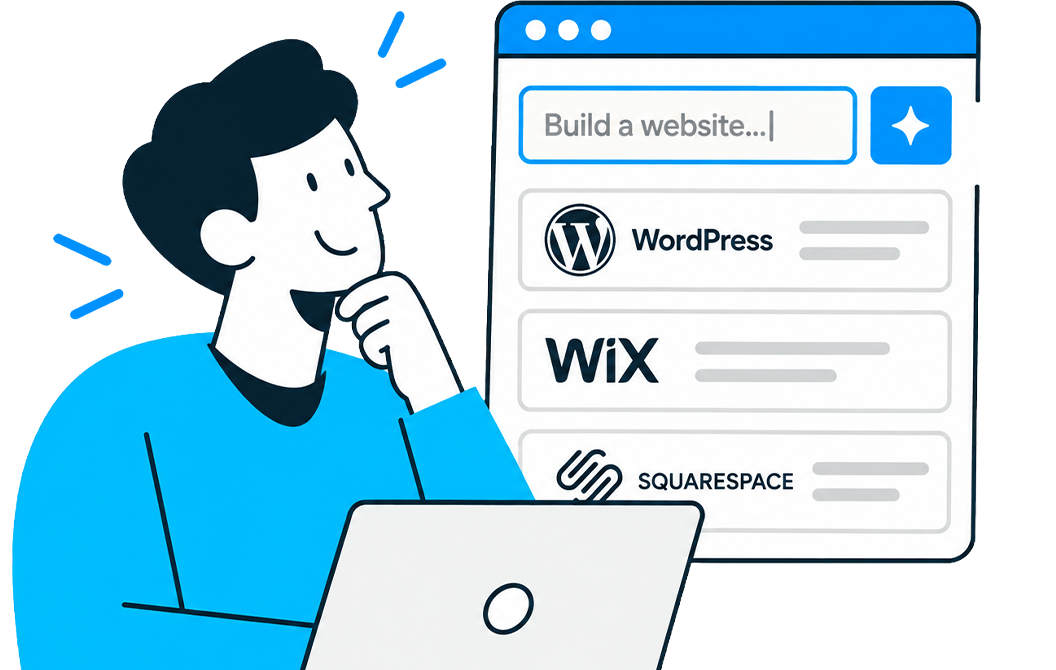
The Best Platforms for Building a Website From a Single Prompt

Several AI website builders can now take a simple written description of your business and use it to generate the website’s pages, layout, images, headlines, and written content.

Note: This list was compiled in mid-2026. If you’re reading this in 2030, chances are websites don’t even exist anymore, flying cars are real, robots are doing your taxes, and things are just… a little different.

But for now, while we’re all still stuck here in the present, here are some of the best options:

#01

Wix Vibe: Best Overall

Wix Vibe is one of the strongest choices for building a complete small-business website from a single prompt.

You describe your business, services, customers, goals, and any features you need. Wix then generates a complete website with pages, written content, images, and a design tailored to the business.

After the website is generated, you can make changes by chatting with the AI or editing the website directly.

Best for: Most small businesses, restaurants, contractors, consultants, service companies, and beginners.

#02

Hostinger AI Website Builder: Best for Simplicity and Value

Hostinger lets you describe the website you want in a single prompt, then generates a ready-made site you can customize.

It combines AI website generation with a visual drag-and-drop editor, making it a good option for someone who wants AI to do most of the work but still wants the ability to make simple changes. Hosting and other essential website tools are also available through the same platform.

Best for: Small businesses, freelancers, portfolios, blogs, and anyone looking for an affordable all-in-one option.

#03

Durable: Best for Building a Website Quickly

Durable is designed specifically to generate simple business websites extremely quickly.

You provide information such as the type of business and its location, and Durable generates the website’s design, written content, images, and basic business sections. It is particularly well suited to local service businesses that need a straightforward website without a complicated setup.

Best for: Contractors, cleaners, landscapers, consultants, repair services, and other local service businesses.

#04

Framer: Best for Visual Design

Framer is a good choice for people who want an AI-generated website with a more polished or design-focused appearance.

It can generate a responsive website from a written prompt and then allows you to customize the design using its visual editor. Framer also includes website hosting, content-management features, and SEO controls.

Best for: Creative businesses, agencies, consultants, portfolios, startups, and visually focused brands.

#05

Webflow AI Site Builder: Best for Greater Design Control

Webflow’s AI Site Builder can turn a prompt into a professional, multipage website and an accompanying design system.

It provides more detailed control over the website than many beginner-focused builders, but that additional control can also make it slightly more complicated to use. Its AI builder can currently generate several initial pages based on the information included in the prompt.

Best for: Agencies, professional designers, growing companies, and businesses that expect to expand their websites over time.

#06

10Web: Best for WordPress Websites

10Web uses AI to generate a complete website from a short description of the business or project.

The finished website is built using WordPress and can be customized through an AI assistant or a drag-and-drop editor. This makes it a useful option for people who want the speed of AI while keeping their website on WordPress.

Best for: Businesses that specifically want a WordPress website.

#07

Shopify AI Store Builder: Best for Online Stores

For a business that primarily sells products online, Shopify’s AI Store Builder is one of the strongest options.

You describe the business in a few words, and Shopify generates personalized store designs. You can then add products and use Shopify’s established tools for inventory, payments, checkout, shipping, discounts, and ecommerce management.

Best for: Ecommerce businesses and companies selling physical or digital products online.
Which Platform Should You Choose?

For most small businesses, Wix Vibe offers the best balance of AI-driven generation, customization, and built-in website tools. But, regardless of the platform, the AI-generated website should be treated as a strong first draft. Before publishing it, review the business information, written content, images, forms, links, and calls to action to ensure everything is accurate and works correctly.

So… Why Am I Telling You How to Do This Yourself?

Fair question. I run a web design company. So, why would I hand you the exact prompt to build your own AI-generated website? Well, because if you’re a small business, and there’s a way I can save you money on your marketing, I’m happy to do it. And who knows, maybe down the line you’ll hire my company for something else, whether that’s advertising, getting your new AI website showing up in AI search results, or anything else you need help with in the vast, ever-advancing land of digital marketing.
But there’s a second half to this story. As more and more people adopt AI in their business, and as more people have started to build a website with AI, we’ve been contacted by a lot of customers with half-built Wix sites, abandoned Codex projects, a Lovable site that got them 80% of the way there, and then… stuck. They knew what they wanted. AI did most of the work. They just couldn’t quite get the AI to understand it, or they hit a wall the moment they needed something a little more custom or technical. And that’s the honest truth about AI website builders. They’re great for getting started. They’re great for a simple, straightforward site. But there’s a point where your lack of technical experience hits a threshold, and no amount of re-prompting gets you past it. That’s usually when you can call, well… ME 🙂 And I can take what you have already half-built and finish it into exactly what you want. In other words, not to start over, but to pick up where the AI left off and actually get your site live, functional, and doing its job. So if you’ve tried the single-prompt route and it worked, congratulations! I’m genuinely happy for you because I think AI is awesome and love to see people use it more and more every day. But if you tried to build an AI website from a prompt and got stuck somewhere in the middle, no shame in that. Happens all the time. Reach out, and we’ll take a look at what you’ve got and figure out the fastest way to get you across the finish line. For now, I hope that this article was helpful. I would love to have your feedback on it, and I am happy to help answer any questions you have about how to build a website with AI, the prompts to use, and anything else I can help with.

Frequently Asked Questions

Can you really build a website with AI using just one prompt?

Yes, you genuinely can. Several AI website builders can take a single, well-written prompt and generate a complete site with pages, layout, images, and written content. The catch is that a vague prompt gets you a vague website, the more detail you give it, the better the result.

What’s the best AI website builder for a single-prompt website?

Wix Vibe and Hostinger AI Website Builder both offer a strong balance of AI generation, ease of use, and built-in customization for most small businesses. Durable is a good option if speed is your top priority, and Shopify’s AI Store Builder is the best fit if you’re selling products online.

What should I include in my prompt to build a website with AI?

Your business name, location or service area, contact info, a list of what you offer, who your ideal customer is, what makes you different, and what action you want visitors to take. The more specific and organized this information is, the less editing you’ll need afterward.

Do I need any coding experience to build a website with AI?

No. That’s the entire point of a single-prompt AI website builder, it’s designed for people with zero coding or design experience. You describe your business in plain language, and the AI handles the layout, design, and written content.

Is an AI-generated website good enough to actually publish?

For a simple, straightforward small business site, often yes. But it should be treated as a strong first draft, not a finished product. Always review the content, images, links, and contact forms for accuracy before making it live.

What are the limitations of building a website with AI?

AI website builders handle simple, standard sites well, but they tend to struggle with more custom functionality, like advanced e-commerce features, complex integrations, or a very specific design vision. That’s usually the point where it makes sense to bring in an actual designer or developer.

How much does it cost to build a website with AI?

It varies by platform, but most AI website builders range from free (with limited features) to a monthly subscription in the $10 to $30 range for small business plans. Ecommerce-focused builders like Shopify typically cost more.

What do I do if my AI-built website isn’t turning out the way I want?

That’s usually a sign you’ve hit the edge of what a single prompt can accomplish on its own. At that point, refining your prompt can help, but if you’re still stuck, it may be time to bring in a web design company to finish the job and add the custom touches AI couldn’t quite get to.

Free Homepage Design

Get a stunning, custom homepage for free!
Limited-time offer—claim yours now!